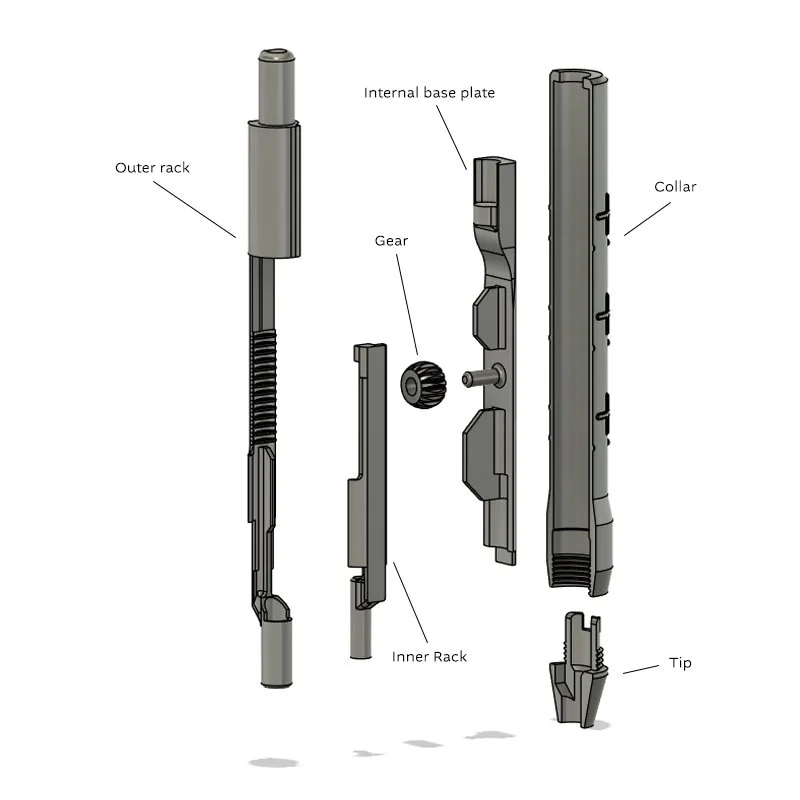
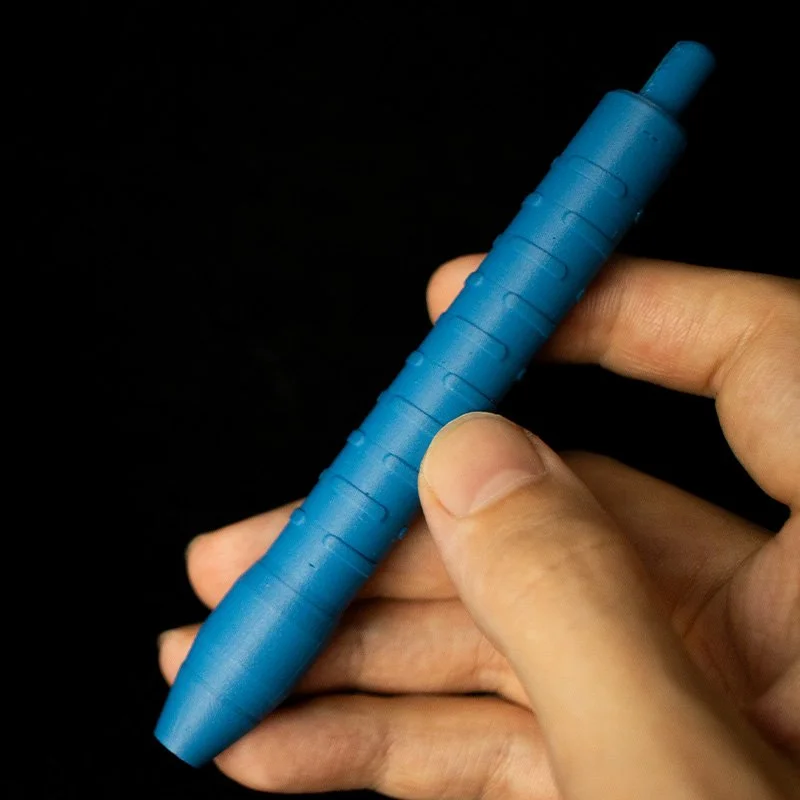
The files for my Magnet Pen design which will help you insert magnets into your own 3D prints without getting superglue on your fingers or ripping the magnets out accidentally.
This is a digital download of the .3MF and STL files for the Magnet Pen V2. You will have to print it yourself.
For some insight into the design of the pen, improvements over V1 and a build guide you can watch this video: https://youtu.be/T5tEz0k8qsc
Also you will need the following hardware and tools to assemble the Pen:
6x - 5×2mm Circular N35 or N42 Magnets
1x - 3×2mm Circular N35 or N42 Magnet
A 3D Printer, either a 0.2 or 0.4 nozzle will work if you have a detailed enough print profile
Superglue to attach the magnets
0.08mm layer height for all internal components. you can get away with up to 0.20mm for the outer collar to save printing time
100% infill for strength and stability
at a 0.08mm layer height, set the Z-offset on your supports to 0.15mm to ensure clean support removal
Because of the geometry required for this version to work, you will need to print with supports. This also means some light post processing is required unless you print with multimaterial printers and support filament. I used a utility knife to clean up my Pens after printing.
Good luck! hopefully its useful to you!
If there is any issues or questions feel free to send me an email or message me on instagram.
The files for my Magnet Pen design which will help you insert magnets into your own 3D prints without getting superglue on your fingers or ripping the magnets out accidentally.
This is a digital download of the .3MF and STL files for the Magnet Pen V2. You will have to print it yourself.
For some insight into the design of the pen, improvements over V1 and a build guide you can watch this video: https://youtu.be/T5tEz0k8qsc
Also you will need the following hardware and tools to assemble the Pen:
6x - 5×2mm Circular N35 or N42 Magnets
1x - 3×2mm Circular N35 or N42 Magnet
A 3D Printer, either a 0.2 or 0.4 nozzle will work if you have a detailed enough print profile
Superglue to attach the magnets
0.08mm layer height for all internal components. you can get away with up to 0.20mm for the outer collar to save printing time
100% infill for strength and stability
at a 0.08mm layer height, set the Z-offset on your supports to 0.15mm to ensure clean support removal
Because of the geometry required for this version to work, you will need to print with supports. This also means some light post processing is required unless you print with multimaterial printers and support filament. I used a utility knife to clean up my Pens after printing.
Good luck! hopefully its useful to you!
If there is any issues or questions feel free to send me an email or message me on instagram.